Membuat Laporan PHP ke PDF
Oleh Afa HernandesDiperbarui 7 menit baca
Halo rekan-rekan, kali ini kita akan membahas tentang bagaimana cara mengubah file html ke pdf menggunakan pdfcrowd API v2. Pdf crowd merupakan website yang menyediakan layanan convert html ke pdf untuk aplikasi ataupun website yang kita buat. Bagaimana cara mengubah halaman html menjadi pdf? Simak penjelasan dibawah ini. disini saya menggunakan url halaman website yang sudah dihosting karena pdfcrowd
Siapkan file html yang akan dijadikan pdf atau bisa menggunakan url file tersebut. contoh :
report2.php
<?php require_once("../konmysqli.php"); ?>
<?php
$id_spv="SPV1911001";
$id_admin=$_GET["id_admin"];
$bul=$_GET["bulan"];
$bulan=BUL($_GET["bulan"]);
$tahun=$_GET["tahun"];
?>
<form id="form1" name="form1" method="post" action="">
<h1 align="center"><u>PT. DNA</u></h1>
<h3 align="center" >Rekapitulasi Absensi</h3>
<table width="528" border="0">
<tr>
<td width="197">Team Leader</td>
<td width="10">:</td>
<td width="1323"><?php echo getAdmin($conn,$id_admin);?></td>
</tr>
<tr>
<td>Bulan</td>
<td>:</td>
<td><?php echo $bul." ".$tahun;?></td>
</tr>
<tr>
<td> </td>
<td> </td>
<td> </td>
</tr>
</table>
<table width="100%" border="1">
<tr>
<td width="20" rowspan="2" align="center"><strong>No</strong></td>
<td width="60" rowspan="2" align="center"><strong>Id Agent</strong></td>
<td width="150" rowspan="2" align="center"><strong>Nama Agent</strong></td>
<td colspan="31" align="center"><strong>Tanggal</strong></td>
<td width="50" rowspan="2" align="center"><strong>Jumlah Hadir</strong></td>
</tr>
<tr>
<td width="20" align="center"><strong>1</strong></td>
<td width="20" align="center"><strong>2</strong></td>
<td width="20" align="center"><strong>3</strong></td>
<td width="20" align="center"><strong>4</strong></td>
<td width="20" align="center"><strong>5</strong></td>
<td width="20" align="center"><strong>6</strong></td>
<td width="20" align="center"><strong>7</strong></td>
<td width="20" align="center"><strong>8</strong></td>
<td width="20" align="center"><strong>9</strong></td>
<td width="20" align="center"><strong>10</strong></td>
<td width="20" align="center"><strong>11</strong></td>
<td width="20" align="center"><strong>12</strong></td>
<td width="20" align="center"><strong>13</strong></td>
<td width="20" align="center"><strong>14</strong></td>
<td width="20" align="center"><strong>15</strong></td>
<td width="20" align="center"><strong>16</strong></td>
<td width="20" align="center"><strong>17</strong></td>
<td width="20" align="center"><strong>18</strong></td>
<td width="20" align="center"><strong>19</strong></td>
<td width="20" align="center"><strong>20</strong></td>
<td width="20" align="center"><strong>21</strong></td>
<td width="20" align="center"><strong>22</strong></td>
<td width="20" align="center"><strong>23</strong></td>
<td width="20" align="center"><strong>24</strong></td>
<td width="20" align="center"><strong>20</strong></td>
<td width="20" align="center"><strong>26</strong></td>
<td width="20" align="center"><strong>27</strong></td>
<td width="20" align="center"><strong>28</strong></td>
<td width="20" align="center"><strong>29</strong></td>
<td width="20" align="center"><strong>30</strong></td>
<td width="20" align="center"><strong>31</strong></td>
</tr>
<?php
$no=0 ;
$sql="select * from `$tbagent` where id_admin='$id_admin' order by `id_agent` desc"; //
$arr=getData($conn,$sql);
foreach($arr as $d) {
$id_agent=$d["id_agent"];
$nama_agent=$d["nama_agent"];
$keterangan=$d["keterangan"];
$telephone=$d["telephone"];
$email=$d["email"];
$id_admin=$d["id_admin"];
$level=$d["level"];
$status=$d["status"];
$no++;
?>
<tr>
<td align="center"><?php echo $no;?></td>
<td><?php echo $id_agent;?></td>
<td><?php echo $nama_agent;?></td>
<td align="center"><?php echo cekAbsen(1,$id_agent);?></td>
<td align="center"><?php echo cekAbsen(2,$id_agent);?></td>
<td align="center"><?php echo cekAbsen(3,$id_agent);?></td>
<td align="center"><?php echo cekAbsen(4,$id_agent);?></td>
<td align="center"><?php echo cekAbsen(5,$id_agent);?></td>
<td align="center"><?php echo cekAbsen(6,$id_agent);?></td>
<td align="center"><?php echo cekAbsen(7,$id_agent);?></td>
<td align="center"><?php echo cekAbsen(8,$id_agent);?></td>
<td align="center"><?php echo cekAbsen(9,$id_agent);?></td>
<td align="center"><?php echo cekAbsen(10,$id_agent);?></td>
<td align="center"><?php echo cekAbsen(11,$id_agent);?></td>
<td align="center"><?php echo cekAbsen(12,$id_agent);?></td>
<td align="center"><?php echo cekAbsen(13,$id_agent);?></td>
<td align="center"><?php echo cekAbsen(14,$id_agent);?></td>
<td align="center"><?php echo cekAbsen(15,$id_agent);?></td>
<td align="center"><?php echo cekAbsen(16,$id_agent);?></td>
<td align="center"><?php echo cekAbsen(17,$id_agent);?></td>
<td align="center"><?php echo cekAbsen(18,$id_agent);?></td>
<td align="center"><?php echo cekAbsen(19,$id_agent);?></td>
<td align="center"><?php echo cekAbsen(20,$id_agent);?></td>
<td align="center"><?php echo cekAbsen(21,$id_agent);?></td>
<td align="center"><?php echo cekAbsen(22,$id_agent);?></td>
<td align="center"><?php echo cekAbsen(23,$id_agent);?></td>
<td align="center"><?php echo cekAbsen(24,$id_agent);?></td>
<td align="center"><?php echo cekAbsen(25,$id_agent);?></td>
<td align="center"><?php echo cekAbsen(26,$id_agent);?></td>
<td align="center"><?php echo cekAbsen(27,$id_agent);?></td>
<td align="center"><?php echo cekAbsen(28,$id_agent);?></td>
<td align="center"><?php echo cekAbsen(29,$id_agent);?></td>
<td align="center"><?php echo cekAbsen(30,$id_agent);?></td>
<td align="center"><?php echo cekAbsen(31,$id_agent);?></td>
<td align="center"><?php echo getJum($conn,"select * from tb_absensi where status='Hadir' and id_agent='$id_agent' and year(tanggal)='$tahun' and month(tanggal)='$bulan'");?></td>
</tr>
<?php }?>
</table>
<p> </p>
<table width="340" border="0" align="center">
<tr>
<td height="34" colspan="3" align="center">Mengetahui, </td>
</tr>
<tr>
<td width="150" align="center">Supervisor </td>
<td width="6" align="center"> </td>
<td width="162" align="center">Team Leader </td>
</tr>
<tr>
<td height="67" align="center"> </td>
<td align="center"> </td>
<td align="center"> </td>
</tr>
<tr>
<td align="center"><?php echo getSupervisor($conn,$id_spv);?></td>
<td align="center"> </td>
<td align="center"><p><?php echo getAdmin($conn,$id_admin);?></td>
</tr>
</table>
<pre><p align="center"> </p></pre>
</form>Buat Akun di pdfcrowd.com , lalu verifikasi melalui email yang dikirim. setelah login menggunakan akun yang sudah dibuat.
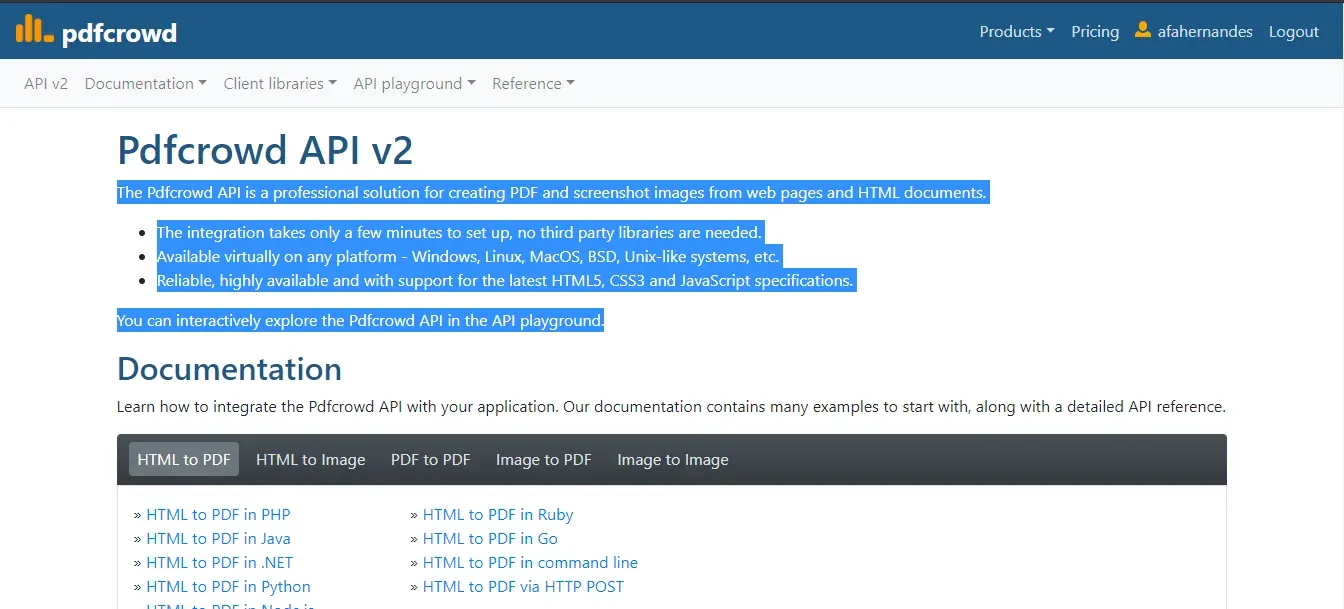
Setelah login, pilih menu product >> Pdfcrowd API >> Pilih HTML to PDF in PHP. Lihat gambar dibawah :
Download pdfcrowd versi terbaru. tersedia setelah berhasil login , ekstrak dan masukan kedalam website atau satu folder dengan file php yang akan di dijadikan pdf (report2.php).
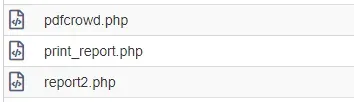
Buat file print_report.php di file manager hosting kalian.Diperlukan otentikasi untuk menggunakan API Pdfcrowd. Kredensial yang digunakan untuk mengakses API adalah nama pengguna Pdfcrowd kalian dan kunci API. Kalian dapat menemukan kunci API di halaman akun kalian.
print_report.php
<?phprequire 'pdfcrowd.php';$nama_pengguna="Nama Akun yang sudah dibuat";$api_key="api key nya";$id_admin="ADM001";try{ $client = new \Pdfcrowd\HtmlToPdfClient("$nama_pengguna", "$api_key"); $client->convertUrlToFile("$url", "$nam");}catch(\Pdfcrowd\Error $why){ error_log("Pdfcrowd Error: {$why}\n"); throw $why;}?>Oke selesai. selanjutnya tinggal eksekusi.
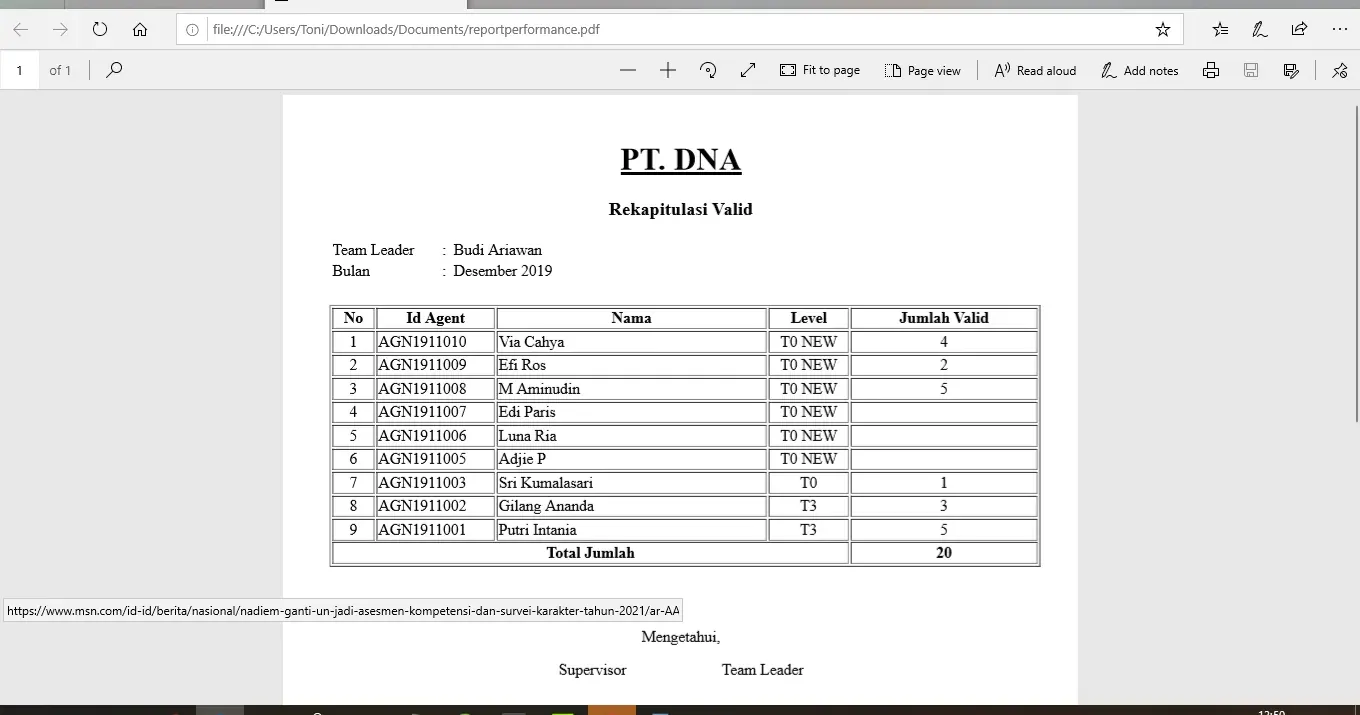
buka url print_report.php dan hasilnya file pdf sudah berhasil dibuat.
contoh :
http://reportdna.sarjanacode.com/performance/print_report.php
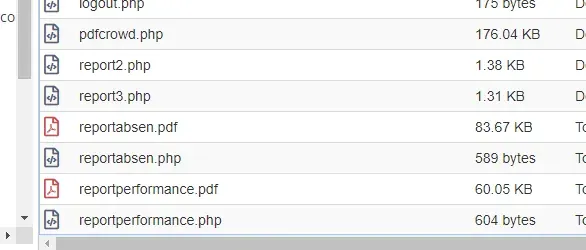
Sekian tutorial hari ini, selamat mencoba. belajar coding memang tidak mudah tapi semoga artikel ini bermanfaat. terimakasih.